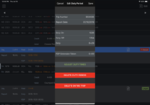
I had min rest last night so my report time was adjusted. I have attempted to change it in the app, but it just changes it back when I hit save. The app is filling in 10:35, the correct time is 10:40. No idea where 10:35 is coming from since the original report was 9:50.

-
Logbook Pro Mobile for iOS and Android get major updates and now available on the Apple App Store and Google Play. Be sure to update at your earliest convenience. For details click here.
-
Shop the Black Friday sale event only at https://www.nc-software.com and use coupon code BF26 at checkout for 15% off.
Unable to adjust report time
- Thread starter w17cfii
- Start date

Similar threads
